

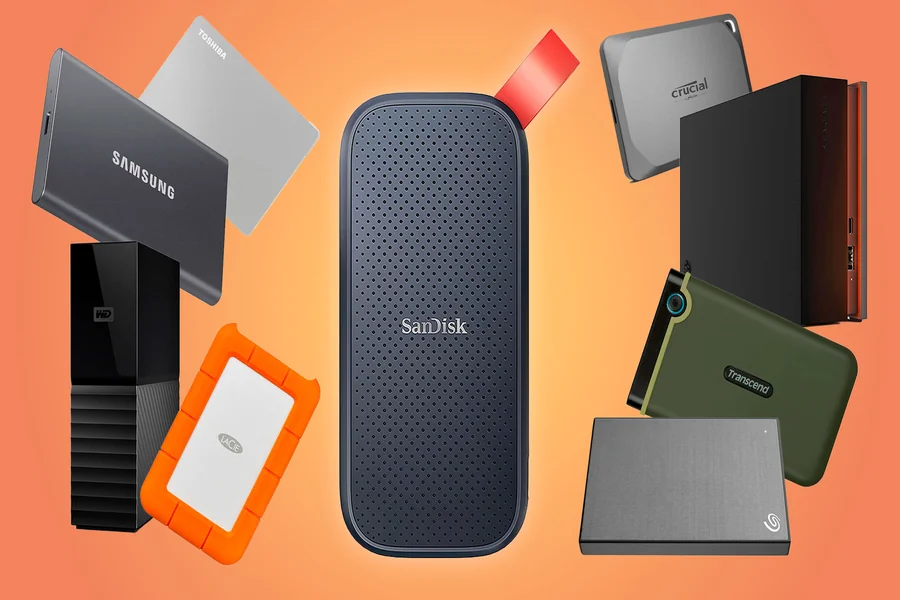
An external ssd is often seen as the faster and more modern alternative to the traditional hard disk drive (HDD), but is it really the best choice for everyone? As storage needs continue to grow for work, gaming, and media, choosing the right drive can make a big difference in speed, reliability, and overall performance.
While SSDs offer lightning-fast data transfer and durability, HDDs still provide larger capacities at a lower cost. In this article, we’ll compare external SSDs and HDDs to help you decide which one is the better investment for your needs.
What is an External SSD?
An External SSD is a portable storage device that connects to your computer or other devices via USB or Thunderbolt. Unlike traditional HDDs, which use spinning disks, SSDs store data on flash memory, offering faster speeds, greater durability, and easier portability.
Key Features of External SSDs
- Flash Memory Storage: External SSDs use NAND flash memory, which retains your data even when the device is turned off, ensuring reliable long-term storage.
- No Moving Parts: SSDs don’t have mechanical parts, so they are quieter, more durable, and resistant to shocks.
- Faster Performance: External SSDs offer much higher read and write speeds than HDDs, allowing quicker file transfers and faster access to your data.
- Portability and Durability: Compact and lightweight, often designed to resist shocks and water, making them easy to carry and reliable in different environments.
- Compatibility: External SSDs work with PCs, Macs, smartphones, and gaming consoles, often without needing additional software or drivers.
External SSDs are a modern, fast, and durable storage solution, perfect for anyone needing reliable data storage on the go.
What is an External HDD?
An External Hard Disk Drive (HDD) is a portable storage device that connects to your computer or other devices through USB, Thunderbolt, or Wi-Fi. It provides additional storage space and makes it easy to transfer data between devices.
Key Features of External HDDs
- Mechanical Platters: HDDs store data on spinning magnetic disks, accessed by a moving read/write head. This design allows for large storage at a lower cost.
- Larger Storage Capacity: Often ranging from 500GB to several terabytes (TB), HDDs are great for storing videos, photos, backups, and other large files.
- Lower Cost: Cheaper per gigabyte than SSDs, making them a budget-friendly choice for big storage needs.
External HDDs are a reliable, cost-effective solution for users needing large storage for backups, archiving, or transferring files.
External SSD vs. HDD: Key Differences
When deciding between an External SSD and an External HDD, understanding their differences helps you pick the right storage for your needs.
-
Speed & Performance
- External SSD: Uses flash memory with no moving parts, providing much faster data access compared to traditional HDDs.
- External HDD: Uses spinning disks and a moving read/write head, which makes it slower than an SSD.
-
Cost & Storage Capacity
- External SSD: More expensive per gigabyte, but getting more affordable. Best for fast access to smaller amounts of data.
- External HDD: Cheaper per gigabyte and offers large storage, ideal for backing up lots of files on a budget.
-
Durability & Reliability
- External SSD: No moving parts, so it’s more resistant to shocks and drops.
- External HDD: Mechanical parts make it more vulnerable to damage from impacts.
-
Noise & Power Consumption
- External SSD: Silent operation and uses less power, which is great for portable devices.
- External HDD: Makes noise due to spinning disks and consumes more power.
Choose an External SSD for speed, portability, and durability, or an External HDD for large, cost-effective storage. Your choice depends on your priorities for performance, capacity, and budget.
When to Choose an SSD
-
You Want Speed & Performance
SSDs provide faster boot times and quicker application launches. They also enable rapid file transfers, especially for large files like videos or graphics.
-
You Use Your Device on the Go
SSDs are portable, being smaller and lighter, which makes them easy to carry. They’re also more durable, better withstanding drops, bumps, and vibrations.
-
You Want Quieter & Cooler Operation
SSDs operate almost silently because they have no spinning disks or moving parts. They also use less power and generate less heat, which helps extend laptop battery life.
-
You Need Fast Access for Demanding Tasks
SSDs are ideal for gaming, video editing, 3D modeling, and running heavy software. They also handle multitasking efficiently, allowing you to work with multiple apps or large files.
-
You’re Concerned About Reliability
If you’re concerned about reliability, SSDs are a better choice because they have fewer mechanical parts, which reduces the chance of failure. They are also more resistant to shocks, vibrations, and other environmental stresses, making them more durable over time.
-
You Want a More Responsive User Experience
Choose an SSD for faster boot times, quicker file access, reduced lag, and smoother overall performance.
When to Choose an HDD
-
You Need Large, Affordable Storage
HDDs give you more storage for less money compared to SSDs. Ideal for storing large files such as movies, music, photos, or for backing up lots of data.
-
You’re Building a Budget-Friendly Setup
If you need several terabytes of space but have a limited budget, HDDs are the economical choice.
-
Long-Term Archival or Backup Storage
HDDs are great for storing data that isn’t accessed frequently. Their simpler design also makes data recovery easier in many cases.
-
Speed Isn’t a Priority
HDDs are ideal for storing files rather than running programs or performing tasks that need fast access. They work well for old photos, media libraries, archives, or documents that aren’t accessed frequently.
-
Desktops or External Storage Setups
HDDs work well in stationary setups because they’re less exposed to bumps or vibrations, so durability is less of a concern. With proper cooling, desktops can also handle the HDD’s heat and power needs.
-
Huge Capacity Requirements
When you need multiple terabytes at a reasonable price, HDDs provide the best value.
Choose an HDD for affordable, high-capacity storage of media, backups, or less-used files, ideal for desktops or stationary setups.
Things to Watch Out For
When choosing an external SSD, consider factors that affect its speed, reliability, and lifespan. Here’s a practical guide:
-
Overheating and Thermal Throttling
NVMe SSDs can get very hot during heavy use, which may reduce performance or even cause failure. Drives with metal cases or built-in cooling help prevent this.
-
Power Surges and Electrical Issues
Sudden power surges, shutdowns, or faulty cables can damage your SSD. Use high-quality cables, stable power sources, and surge protectors to safeguard your drive.
-
Firmware and Compatibility
Outdated or incompatible firmware can cause malfunctions. Keep your SSD firmware updated and ensure your operating system supports the drive.
-
Data Security and Encryption
Use SSDs with built-in or software encryption to protect data from loss or theft.
-
Matching Use Cases
Using the wrong SSD type can hurt performance or lifespan. SATA SSDs are ideal for storage and backups, while NVMe SSDs excel at high-speed tasks like gaming or video editing.
-
Build Quality and Durability
Poorly made SSDs can be easily damaged, especially when carried around. Choosing drives with rugged designs or protective cases helps keep them safe in mobile or tough environments.
-
Endurance and Write Limits
SSDs have finite write cycles. Avoid excessive writes and monitor drive health using manufacturer tools to extend its life.
Always back up your data. Even the most reliable SSDs can fail, so keeping backups ensures your files remain safe.
